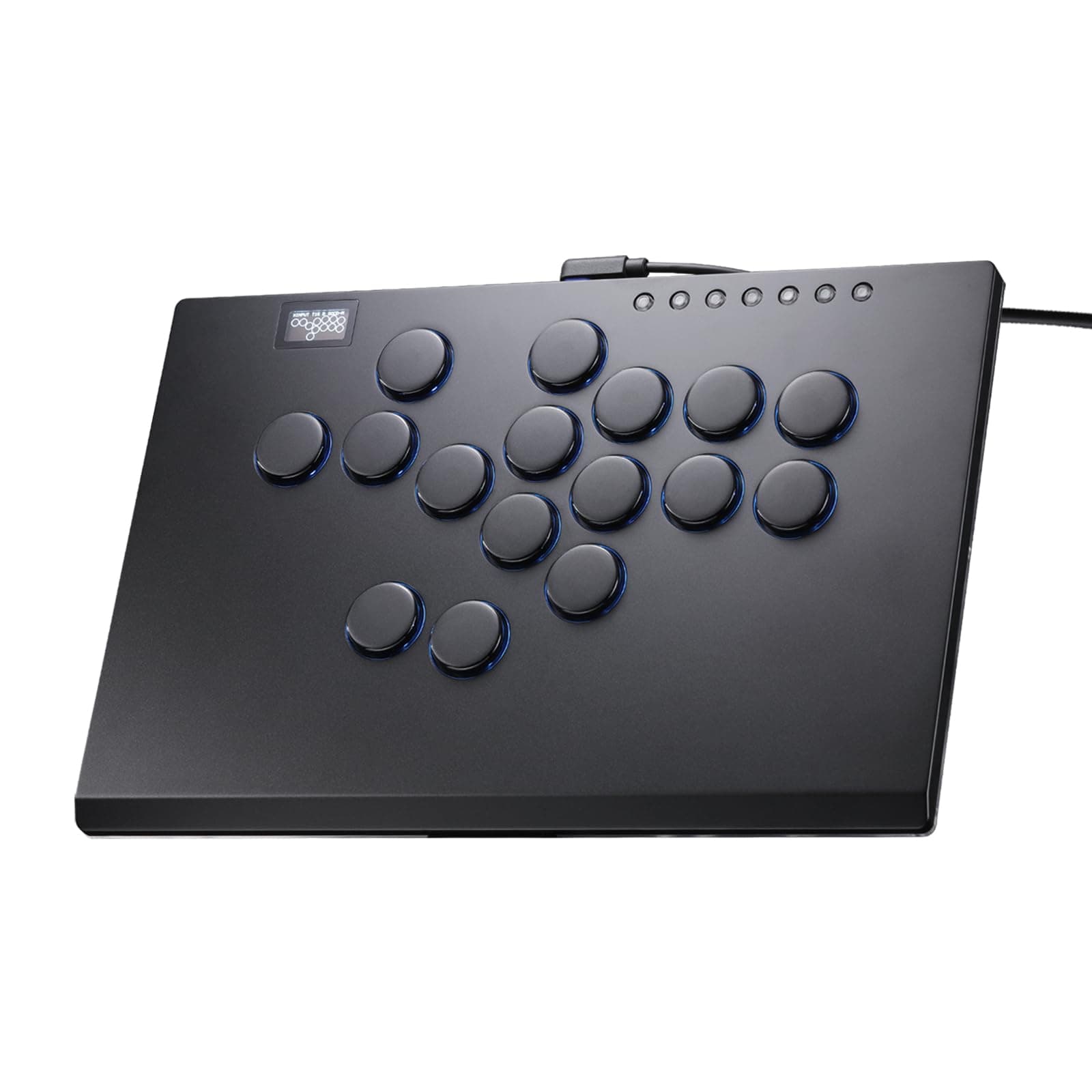
Beginner’s Guide to Choosing Your First Leverless
ArcadeStickLabs
7 April 2026
Beginner’s Guide to Choosing Your First Leverless
If you are thinking about buying your first leverless controller, the good news is this:
you do not need to overcomplicate it.
A lot of beginners get stuck comparing layouts, button sizes, brands, PS5 support, and “which one top players use” before they have even worked out what actually matters to them.
This guide is here to keep it simple.
The goal is not to tell you there is one perfect leverless for everyone.
The goal is to help you avoid buying the wrong one for your setup, platform, and hands.
What is a leverless controller?
A leverless controller is a fight controller with buttons only.
Instead of using a joystick for movement, you use directional buttons.
That means:
- no lever
- no ball top or bat top
- movement is handled by buttons instead
You will also hear people call them:
- leverless
- all-button controllers
- hitbox-style controllers
They all mean roughly the same thing.
Why people like leverless
There is a reason leverless has become so popular.
A lot of players like it because it can feel:
- cleaner
- more direct
- easier on the hands or wrists
- more compact on a desk
For some people, it just makes more sense than a traditional stick.
This is especially true if:
- you already play on keyboard
- you do not like using a lever
- stick movement feels awkward to you
- you want a more compact setup
Why some people still prefer stick
Leverless is not automatically “better.”
A lot of players still prefer stick because they like:
- the arcade feel
- the physical motion of a lever
- the comfort of wider hand movement
- the fun of using traditional arcade hardware
I am still more of a stick person myself because I like the arcadey feel and I am comfortable on it.
But I have definitely warmed up to leverless more recently, and the more I have looked into it, the more I understand why so many people like it.
So if you are stuck between the two, do not treat it like one is modern and the other is outdated.
It is mostly about what feels right for you.
The biggest mistake beginners make
The biggest mistake is buying based on hype instead of practicality.
A lot of beginners buy a leverless because:
- it looks clean
- a top player uses something similar
- people online say it is “better”
- they assume all leverless layouts feel basically the same
That is how people end up with a controller that:
- feels too small
- has awkward button spacing
- becomes annoying on PS5
- looks great but is uncomfortable after an hour
Your first leverless should be about comfort and compatibility, not chasing the coolest-looking option.
The first things to check before buying
1. Platform compatibility
This is the boring part, but it matters a lot.
If you are on PC, life is usually much easier.
If you are on PS5, you need to pay a lot more attention.
Some leverless controllers are:
- fully supported out of the box
- officially licensed
- compatible only with passthrough
- compatible only with certain adapters
- much more annoying than they first appear
This is where a lot of beginners accidentally buy a headache.
If you want the easiest setup possible, especially for PS5, prioritize clean compatibility first.
Do not assume “works on PS5” means the same thing for every controller.
2. Button size and spacing
This is one of the most overlooked things.
Some leverless controllers feel:
- roomy and comfortable
- tight and compact
- too cramped for larger hands
- too small for long sessions
That is why layout matters so much.
A controller can have great reviews and still feel wrong for your hands.
A few common things to think about:
- Do you want a compact layout or something more spread out?
- Do you prefer smaller buttons or more standard-feeling sizes?
- Are you likely to use it on a desk, your lap, or both?
If you already know you dislike cramped controls, do not ignore this just because the controller looks sleek.
3. Controller size
This matters more than people expect.
Small leverless controllers are great for:
- portability
- travel
- minimal desk space
But not everyone wants an ultra-small controller.
For longer sessions, some players prefer something with:
- more weight
- more palm space
- more room between buttons
- a more stable desk feel
So ask yourself this:
Do I want something compact, or something comfortable for long sessions?
Those are not always the same thing.
4. Plug-and-play vs tinkering
This is the next big split.
Some leverless options are great because they:
- just work
- have clean compatibility
- need little setup
Others are attractive because they:
- are cheaper
- offer great value
- are moddable
- give you a lot for the money
But those cheaper/value-heavy options can sometimes mean:
- extra setup
- passthrough headaches
- more research
- more trial and error
That is not always bad.
It just depends on what kind of buyer you are.
If you want low friction, buy the easier option.
If you enjoy tinkering and want better value, you can go that route too.
Just know which camp you are in.
Is leverless good for beginners?
Yes — but with one condition:
it has to actually suit you.
Leverless can be great for beginners because it removes the learning curve of using a lever.
That can make movement feel more direct, especially if you are coming from:
- keyboard
- PC games
- non-arcade inputs
But if you are buying one because you think it is some automatic shortcut to better execution, that is the wrong mindset.
A leverless controller can feel cleaner.
It can feel easier.
But you still have to build muscle memory.
Is leverless better for your hands and wrists?
For some people, yes.
If stick movement is already bothering your wrist, leverless is absolutely worth considering seriously.
That is one of the clearest reasons to choose it.
A lot of players switch because:
- stick hurts their wrist
- a lever feels awkward
- button movement feels easier to repeat
- their hands feel less tired over time
That does not mean leverless is automatically more ergonomic for everyone.
It just means comfort should be taken seriously.
If one option already feels better on your body, that matters more than internet debates.
What kind of leverless should a beginner buy?
There is no one perfect answer, but there are three broad routes:
1. The easy route
This is for people who want:
- simple setup
- low hassle
- clean compatibility
- minimal fiddling
This usually means buying something more established, more straightforward, and less likely to surprise you.
Best for:
- players on PS5
- beginners who do not want setup headaches
- people who value convenience over squeezing every bit of value
2. The value route
This is for people who want:
- good price-to-performance
- solid hardware
- flexibility
- something a bit more enthusiast-friendly
These options can be great, but you need to read the fine print more carefully, especially around compatibility.
Best for:
- PC players
- people comfortable doing a bit more research
- buyers who do not mind some setup work
3. The premium route
This is for people who want:
- high-end build quality
- cleaner materials
- better fit and finish
- a more “final form” controller
This usually costs more, but can make sense if you already know you are serious.
Best for:
- people who want one good controller instead of experimenting
- players who value build quality a lot
- buyers who care about desk feel and long-term use
What about button size?
This is worth calling out on its own.
A lot of leverless controllers use 24mm buttons for the main inputs and a larger button for jump.
That is common.
It also means they can feel very different from a traditional fightstick.
If you already know you prefer more room or bigger buttons, look carefully at the layout before buying.
Do not just assume all-button controllers will feel the same in hand.
A good-looking controller can still feel cramped.
What about PS5?
If you are on PS5, keep this very simple:
- clean native compatibility is worth paying attention to
- passthrough-based solutions can still work, but they are not the same as buying something licensed and forgetting about it
- budget options get much more annoying once PS5 enters the picture
That does not mean you cannot get a good leverless for PS5.
It just means this is the part where people get burned by assumptions.
If you are mainly on PC, you have more freedom.
If you are mainly on PS5, be more careful.
My honest beginner advice
If you are choosing your first leverless, I would keep it simple:
Go leverless if:
- stick feels awkward to you
- you already find button movement more natural
- you want something cleaner and more direct
- wrist comfort is a real factor
Be careful if:
- you are buying based only on aesthetics
- you have not checked compatibility
- you are picking the smallest controller possible without thinking about comfort
- you are assuming all leverless layouts feel the same
Keep it practical:
- compatibility first
- comfort second
- layout third
- hype last
That order will save you a lot of frustration.
A simple checklist before you buy
Ask yourself these five questions:
- What platform am I using most?
- Do I want easy setup or best value?
- Do I want compact, or do I want comfort for long sessions?
- Do I know I like tighter button spacing, or am I guessing?
- Am I buying this because it suits me, or because it looks cool online?
If you can answer those honestly, you are already ahead of most first-time buyers.
Leverless vs stick: the honest short version
If you want the quick answer:
Choose stick if:
- you want the arcade feel
- you enjoy using a lever
- you like traditional hardware
- stick already feels good to you
Choose leverless if:
- you want a more direct input style
- you already find it easier on your hands
- stick feels awkward or tiring
- you like compact desk-friendly setups
Neither choice is wrong.
A lot of people do best once they stop asking which one is “better” and start asking which one they actually enjoy using.
Final thoughts
Your first leverless does not need to be perfect.
It just needs to:
- work on your platform
- feel comfortable
- make sense for your hands
- not create unnecessary setup headaches
That is the real beginner goal.
Do not buy based on theory alone.
Buy based on comfort, compatibility, and what you will actually want to keep using.
If you get those three right, you are already in a good place.
Related beginner guides
If you are still deciding what setup makes sense for you, these may help: